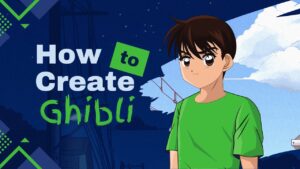
The internet is abuzz with Studio Ghibli-style art, inspired by the enchanting animations of Hayao Miyazaki and his renowned studio. Known for their intricate, dreamy details and whimsical characters, Studio Ghibli films have captured the hearts of many. Now, with the power of AI, you can turn your own photos into Ghibli-inspired works of art. Whether you’re a fan of the animation style or simply want to try something new, here are the best platforms and apps to help you create Studio Ghibli-style art.
1. Fotor’s Studio Ghibli Filter
Fotor’s Studio Ghibli Filter provides an AI-driven tool that allows users to convert their photos into the beloved Ghibli art style. The filter comes with several customization options for a truly unique look.
How to Use:
- Go to Fotor’s Studio Ghibli Filter page.
- Click on “Convert Photo to Ghibli Style Now.”
- Upload your desired photo.
- Let the AI process and generate the image in Ghibli style, which can then be downloaded.
2. Grok AI Assistant
Grok is another excellent AI tool for creating Studio Ghibli-style art. This platform lets you upload a photo and provide a description to transform it into Ghibli-inspired imagery.
How to Use:
- Open the Grok website or app and ensure you are using the Grok 3 model.
- Upload your photo by clicking on the paperclip icon.
- Type a prompt asking for the image to be transformed into Ghibli style.
3. Deep Dream Generator
Deep Dream Generator uses deep learning to turn your photos into dream-like, artistic creations, often resembling the animation style found in Studio Ghibli films.
How to Use:
- Visit the Deep Dream Generator website and create an account.
- Upload your image.
- Select a Ghibli-like style from the options available.
- Adjust filter intensity and other settings as needed.
- Click ‘Generate,’ and the AI will convert your image into a Ghibli-inspired masterpiece.
4. Flux
Flux AI offers a fast, user-friendly tool that turns your photos into Ghibli-style artwork in about 30 seconds. It also provides additional features to refine and enhance the images.
How to Use:
- Go to Flux’s Ghibli Art AI Studio page.
- Upload your image by either dragging and dropping or selecting from your browser.
- Choose your desired style strength and settings.
- Hit “Generate Image,” and in a few moments, your Ghibli-style artwork will be ready to download.
5. Craiyon (formerly DALL-E Mini)
Craiyon is a web-based tool that generates images based on text prompts, and it can easily create Ghibli-style art. This simple tool doesn’t require much expertise to use.
How to Use:
- Enter a description of the scene or photo you’d like to create in Ghibli style or upload an existing image.
- Click the ‘Generate’ button to create the image.
- After it’s processed, you can download your new Ghibli-inspired artwork.
These platforms offer a fun and simple way for users to transform their favorite photos into Studio Ghibli-style masterpieces, and the process is easier than ever. Whether you’re looking to add a touch of animation magic to your photos or simply want to explore the aesthetic, these tools can help you achieve that Ghibli look.